
How to Negotiate Your Salary (2026 Guide)
Quick Answer
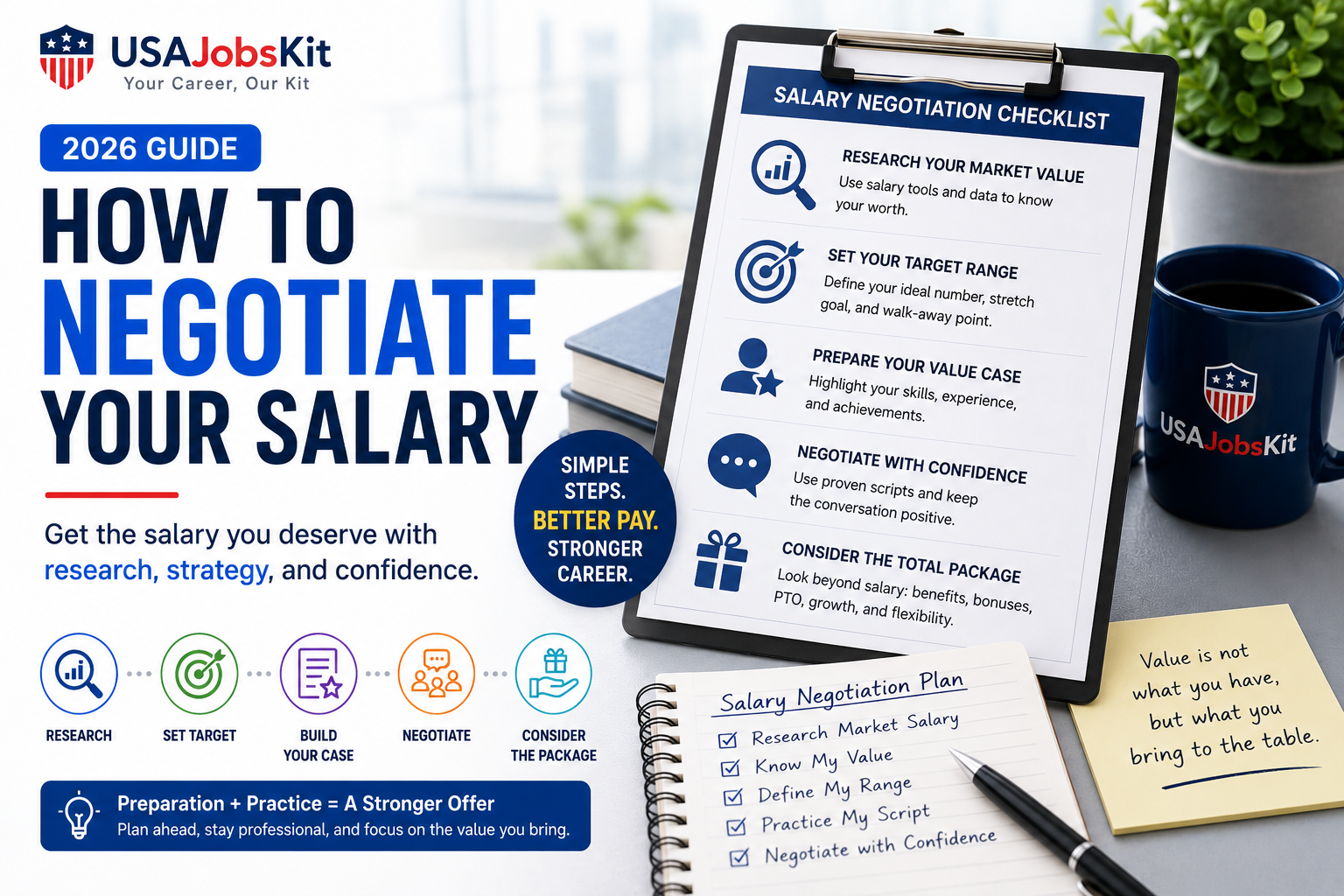
Good salary negotiations are not about being aggressive. They are about being prepared. First, research your market value. Second, use tools like the Salary Calculator, Take Home Pay Calculator, and Pay Raise Calculator to pick a clear target range. Finally, use calm, professional scripts to ask whether there is flexibility in the offer instead of making demands.
Many people feel nervous about negotiating salary, even when they know they should. You might worry about sounding ungrateful, losing the offer, or saying the wrong number. The truth is that thoughtful salary negotiation is a normal part of hiring, and employers expect it.
This guide walks you through a simple, practical process you can use for both new job offers and raises at your current company. You will see exactly where USAJobsKit tools fit into each step so you can negotiate based on real numbers instead of guesswork.
Step 1: Know your market value
It is hard to negotiate confidently if you do not know what people in similar roles are paid. Your goal in this step is to translate “I would like more money” into “People with my skills and responsibilities are usually paid in this range.”
1.1 Start with your current or target salary
First, figure out where you are today and where you want to be.
- If you are paid hourly, use the Hourly to Salary Calculator to turn your hourly wage into annual, monthly, and weekly salary.
- If you are paid a yearly salary, use the Salary to Hourly Calculator to see your hourly equivalent for comparison.
- For quick reference, you can also review guides like $25 an Hour Is How Much a Year or $35 an Hour Is How Much a Year to understand common rates.
Write down three numbers for yourself:
- A minimum you can live with.
- A realistic target that matches the market.
- A stretch goal that would be great if you can get it.
1.2 Check how far that money really goes
Gross salary is only part of the story. Your take home pay after taxes is what matters for your daily life.
- Use the Take Home Pay Calculator to see your net pay at different salary levels.
- Use your state’s tool in the Paycheck Calculators section (for example, the California Paycheck Calculator or Texas Paycheck Calculator) to see how location changes your net pay.
Once you see your numbers on the screen, it becomes much easier to say “I am targeting around $X to $Y because that gives me about $Z per month after taxes.”
Step 2: Decide what you will ask for
Negotiation is easier when you already know your range and you have practiced saying it. This step helps you move from vague “more money” to a specific, reasonable ask.
2.1 Use tools to model different raise scenarios
For a raise at your current job, you can use:
- Salary Increase Calculator to see what different percentage increases would do to your annual pay.
- Pay Raise Calculator to compare current and new salaries side by side.
- Then run the new salary through the Take Home Pay Calculator to find out how much extra you would actually take home each month.
For a new job offer, you can:
- Use the Salary Calculator to confirm the offer amount by year, month, and week.
- Plug the number into your state’s paycheck calculator to see take home pay and compare it with your current job.
- Use the Bonus Tax Calculator and Bonus Paycheck Calculator if there is a signing bonus or performance bonus.
After this, choose one clear target range you will use in the negotiation, for example: “I am targeting $78,000 to $82,000 based on the role and the market.”
2.2 Think in terms of total compensation
Base salary is the main piece, but not the only one. When you negotiate, you can also consider:
- Bonuses and commissions.
- Overtime or on call pay.
- Retirement match (such as 401(k) match).
- Paid time off, remote work flexibility, and training support.
Tools like the Overtime Calculator, Time and a Half Calculator, and Paycheck After 401k Calculator help you see how those extras change your real income.
Step 3: Prepare your talking points
Good negotiation is not just about numbers. It is also about how you explain your value. In this step you will gather evidence and connect it to your ask.
3.1 List your impact, not just your tasks
Employers pay for results, not job titles. To make a stronger case:
- Use the Resume Bullet Point Generator to turn your accomplishments into clear bullet points with numbers (such as “reduced processing time by 30 percent”).
- Build a short summary of your strengths with the Resume Summary Generator and reuse that in your negotiation conversation.
From these, choose three to five achievements that are most relevant to the role or raise you want. These become your evidence when you explain why you are asking for a higher salary.
3.2 Practice how you will explain your range
Here is a simple structure you can adapt:
This phrasing keeps the tone positive, shows that you have done your homework, and invites a conversation instead of making a demand.
Step 4: Negotiate a new job offer
Negotiating a new job offer usually happens after the employer has decided they want to hire you. At this point, they expect some discussion about pay.
4.1 When to bring up salary
A common pattern is:
- Early in the interview process, you can share a broad range if they ask, based on your research and tools.
- After you receive a written offer, that is the best time to negotiate the exact number.
If the initial offer is lower than your target, you can use a script like this by email or in a call:
Have your USAJobsKit calculations open in front of you so you remember why you chose that number.
4.2 If they cannot meet your full number
Sometimes an employer cannot reach your top target but can improve the overall package. You can ask about:
- A signing bonus or higher performance bonus.
- An earlier salary review date (for example, after six months instead of one year).
- Extra vacation days or remote work flexibility.
- Training budget, conference attendance, or certification support.
Use the Bonus Tax Calculator and Bonus Paycheck Calculator to see what a one time bonus actually looks like after tax compared to a higher base salary.
Step 5: Negotiate a raise in your current job
Negotiating a raise with your current employer is a little different from negotiating a new offer. They already know your work, which is helpful, but you also need to time the conversation carefully.
5.1 Choose the right moment
Good times to ask for a raise include:
- After you complete a big project or achieve a clear result for the company.
- During your performance review cycle.
- After taking on new responsibilities or a new title.
Before the meeting, use the Salary Increase Calculator and Pay Raise Calculator to decide what you will ask for and how much it would change your take home pay.
5.2 Use a clear, respectful script
Here is an example you can adapt:
Bring a one page summary of your accomplishments (you can generate bullet points with the Resume Bullet Point Generator and turn them into STAR examples with the STAR Interview Answer Builder).
Step 6: Practice saying your number out loud
The content of your ask matters, but so does your delivery. Practicing out loud reduces nerves when you are in front of a manager or recruiter.
Try these tips:
- Practice your main sentences several times until they feel natural.
- Keep your voice calm and steady, even if you are nervous.
- After you say your number or range, pause and let the other person respond rather than immediately filling the silence.
It can help to treat this like preparing for an interview answer. If you are already using USAJobsKit’s Tell Me About Yourself Generator and STAR Interview Answer Builder, add your salary ask to your practice list.
Step 7: Decide when to say yes or walk away
Not every negotiation ends in a perfect number, and that is okay. It is important to know ahead of time what you will accept and when you will politely decline.
| Type of number | What it means |
|---|---|
| Minimum | The lowest pay you can accept without hurting your financial stability. |
| Target | The fair number based on your market value and responsibilities. |
| Stretch | An optimistic but still realistic top of your range. |
Use your calculations from the Take Home Pay Calculator, Payroll Tax Calculator, and Paycheck Calculators to confirm that your minimum really covers your needs.
If an employer cannot meet even your minimum after negotiation and there is no strong non salary reason to accept, it is often better to walk away and look for a better fit.
Frequently asked questions about salary negotiation
Should I always try to negotiate my salary?
In most professional roles, it is reasonable to ask whether there is flexibility in the offer. Some hourly or entry level roles may have fixed rates, but even there you can sometimes negotiate schedules, training, or future review dates. If you are not sure, you can ask in a polite way like “Is this offer flexible at all?”
Will negotiating make the employer withdraw the offer?
It is rare for an employer to withdraw an offer just because you asked whether the salary is flexible, especially if you stay positive and respectful. They might say no, but in many cases they will counter with a slightly better package.
How high should I start?
A common approach is to start a little above your target so you have room to move if they counter. For example, if your target is $80,000, you might ask for $82,000 to $85,000 depending on your research, then be comfortable landing somewhere in the middle.
What if they ask about salary expectations early in the process?
You can answer with a range based on your research and tools instead of a single fixed number. For example, “Based on the responsibilities we have discussed and similar roles in this market, I am looking for something in the range of $75,000 to $85,000, depending on the full package.”
Use USAJobsKit to back up your next salary negotiation with real numbers
Run your current pay and your target range through the calculators so you can walk into your next conversation prepared and confident.
Disclaimer: This guide is for general educational purposes only and does not provide legal, tax, or financial advice. Salary norms vary by industry, company, and location. Always combine these strategies with your own research and judgment.




3 Comments