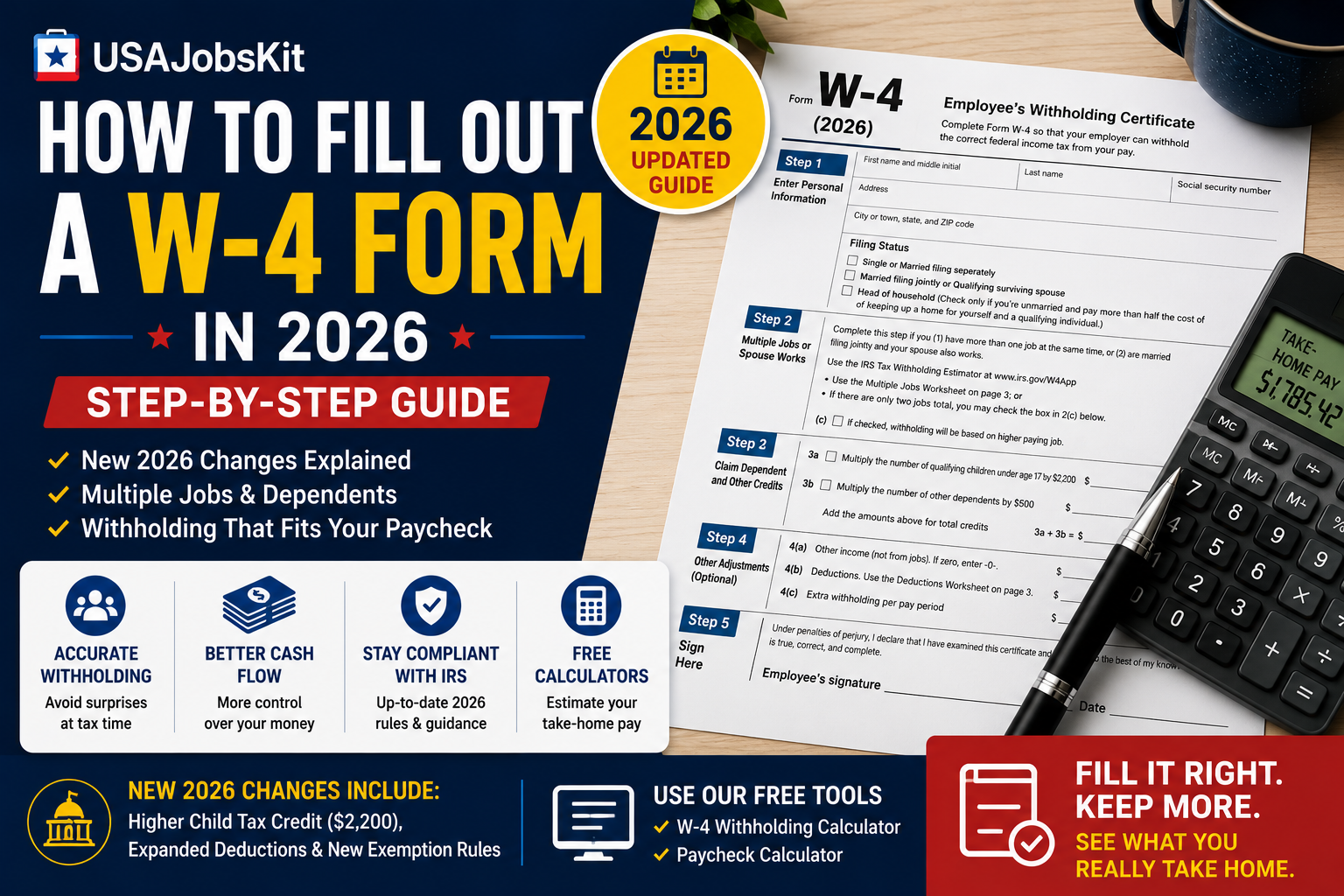
How to Fill Out a W-4 Form in 2026 – Step-by-Step Guide
Quick Answer
The 2026 W-4 form has three notable updates from last year: the child tax credit multiplier in Step 3A increased from $2,000 to $2,200 per qualifying child, Step 4(b) now features a significantly expanded Deductions Worksheet tied to the One Big Beautiful Bill Act, and claiming exempt from withholding now uses a checkbox instead of writing “Exempt” on the form. For most single job workers with no major changes to their financial situation, the form remains straightforward. For everyone else – two jobs, a working spouse, dependents, or significant deductions getting Steps 2 through 4 right is worth careful attention.
After completing your W-4, use the paycheck calculator to see how your withholding settings affect your actual per-check take-home before you hand the form to your employer.
The W-4 – officially called the Employee’s Withholding Certificate – is the form you give your employer when you start a new job and any time your financial situation changes. It tells your employer how much federal income tax to withhold from each paycheck. Get it right, and your withholding closely matches what you actually owe – no large year-end bill, no excessively large refund. Get it wrong, and you either overpay throughout the year (giving the IRS an interest-free loan) or underpay and owe a balance – potentially with penalties – when you file.
This guide walks through every section of the 2026 W-4 in plain language, covers the three key changes from last year, and includes scenario-specific guidance for single filers, married couples, and workers with multiple jobs or dependents.
What is the W-4 and what does it do
The W-4 does not calculate your taxes – it only controls how much your employer withholds from your paycheck as an advance payment toward your expected annual tax bill. Your actual tax liability is calculated when you file your Form 1040 at year end. If you withheld too much throughout the year, you get a refund. If you withheld too little, you owe the difference.
The form was completely redesigned in 2020 to remove the old allowance-based system. If you have an older W-4 on file from before 2020, your employer will continue using it – you are not required to submit a new one. But if you want your withholding to reflect the current rules and your actual situation, updating to the 2026 form is the right move. You can update your W-4 at any time by submitting a new form to your employer’s HR or payroll department.
Where to get the form: Download the current 2026 W-4 directly from the IRS W-4 page. Your employer may also provide it through their onboarding or HR system. Do not send the completed form to the IRS – give it to your employer only.
What changed on the 2026 W-4
Most years bring minor table updates to the W-4. The 2026 version has three changes worth knowing before you sit down to fill it out:
| Section | 2025 version | 2026 version |
|---|---|---|
| Step 3A – Child Tax Credit amount | $2,000 per qualifying child | $2,200 per qualifying child |
| Step 4(b) – Deductions Worksheet | Short, limited section | Expanded full-page worksheet with new deduction categories from the One Big Beautiful Bill Act |
| Exempt status | Required writing “Exempt” on the form | Checkbox – no longer need to write it out |
| Step 3 labeling | Single combined Step 3 | Now labeled Step 3A (children) and Step 3B (other dependents) – same math, new labels |
| Multiple Jobs Worksheet tables | 2025 income tables | Updated for 2026 income ranges (standard annual update) |
The most significant change is Step 4(b). The expanded Deductions Worksheet now covers several new deduction categories introduced under the One Big Beautiful Bill Act, including qualified tips, qualified overtime pay, passenger vehicle loan interest, age-based deductions, and above-the-line deductions. If any of these apply to your situation, the worksheet helps you estimate a larger deduction amount that reduces your withholding to match your lower expected tax liability.
How to fill out the 2026 W-4 step by step
The W-4 has five labeled steps. Steps 1 and 5 are required for everyone. Steps 2, 3, and 4 are situational – complete them only if they apply to you. Leaving steps 2 through 4 blank tells your employer to withhold as if you are a single filer with no adjustments, which produces the most conservative (highest) withholding.
Step 1 – Personal information REQUIRED
Enter your full legal name, home address, and Social Security number. Then select your filing status by checking one box:
- Single or Married filing separately (MFS) – produces the highest withholding rate for a single paycheck
- Married filing jointly (MFJ) or Qualifying surviving spouse – produces lower withholding than Single but may under-withhold if both spouses work
- Head of household (HOH) – for unmarried filers who pay more than half the cost of a home for a qualifying person
Your filing status here is your expected filing status on your annual return – it is not locked in and you can update it anytime by submitting a new W-4.
Step 2 – Multiple jobs or working spouse IF APPLICABLE
Complete this step only if you currently hold more than one job at the same time, or if you are married filing jointly and your spouse also works. Skipping this step when it applies is one of the most common under-withholding mistakes – each employer withholds based on your full standard deduction and brackets, not knowing you have additional income elsewhere.
You have three options – choose the most accurate one:
- Option A (most accurate): Use the IRS Tax Withholding Estimator. Enter extra withholding per paycheck in Step 4(c).
- Option B (accurate): Complete the Multiple Jobs Worksheet on page 3 of the W-4. The income tables have been updated for 2026. Enter the result in Step 4(c).
- Option C (simple but rough): Check the box in Step 2(c) if there are only two jobs total and they pay similarly. This tells each employer to withhold at the higher Single rate for their paycheck.
Privacy note: If you do not want your employer to know you have a second job, use Options A or B instead of the checkbox. The checkbox tells your employer you have multiple jobs, while the other options only add a dollar amount in Step 4(c) with no disclosure.
Step 3 – Claim dependents IF APPLICABLE 2026 UPDATED
Complete this step only if your total income will be $400,000 or less (married filing jointly) or $200,000 or less (all other filing statuses). Step 3 now has two labeled sub-sections:
- Step 3A – Qualifying children under age 17: Multiply the number of qualifying children by $2,200 (up from $2,000 in 2025) and enter the result. Example: two qualifying children = $4,400.
- Step 3B – Other dependents: Multiply the number of other qualifying dependents (adult dependents, older children, or other qualifying relatives who do not qualify for the $2,200 child credit) by $500 and enter the result.
Add the results of 3A and 3B together and enter the total in the Step 3 box. Entering more here reduces your withholding to reflect the child and dependent tax credits you will claim at year end. Leaving Step 3 blank means your employer withholds more each paycheck – you will see the credit as a larger refund when you file instead.
Step 4 – Other adjustments (optional) 2026 MAJOR UPDATE
Step 4 has three sub-sections and is the most nuanced part of the form for workers with complex financial situations:
- 4(a) – Other income not from jobs: Enter the total amount of other taxable income you expect this year – interest, dividends, freelance income, rental income, retirement distributions. Having this withheld through your paycheck avoids quarterly estimated tax payments. Do not include income from other jobs here – that goes through Step 2.
- 4(b) – Deductions (expanded in 2026): If you expect your total deductions to exceed the standard deduction, use the Deductions Worksheet on page 3 of the W-4 to estimate the difference and enter it here. In 2026, the worksheet is now significantly expanded to include new deductions from the One Big Beautiful Bill Act – including qualified tips, qualified overtime, passenger vehicle loan interest, age-based deductions, and above-the-line deductions. Work through the full worksheet carefully if any of these apply to your situation. Entering a higher deduction amount here reduces your per-paycheck withholding.
- 4(c) – Extra withholding per pay period: If you want additional federal income tax withheld from each paycheck – for example, to cover a side income tax obligation or to eliminate a recurring year-end balance – enter a flat dollar amount here. This adds to your withholding on top of everything else on the form.
Step 5 – Sign and date REQUIRED
Sign and date the form. An unsigned W-4 is legally invalid – your employer is required to treat an unsigned form as if you are a single filer claiming no adjustments. Give the completed form to your employer’s HR or payroll department. Do not mail it to the IRS.
Your employer must put the new withholding settings into effect no later than the start of the first payroll period ending 30 days after you submit the new form.
Claiming exempt from withholding in 2026
If you qualify to be exempt from federal income tax withholding, the 2026 W-4 now uses a checkbox rather than requiring you to write “Exempt” on the form. Check this box only if both of the following are true:
- You had no federal income tax liability in the prior year (your total tax was $0 when you filed)
- You expect no federal income tax liability in the current year
If you check this box, your employer will withhold no federal income tax from your paychecks for the rest of the calendar year. Exempt status expires every year – if you want to continue it, you must submit a new W-4 by February 15 of the following year. If you miss that deadline, your employer reverts to withholding as if you are single with no adjustments until a new W-4 is received.
Warning: Do not claim exempt status if you are not actually eligible. If you do and end up owing tax, the IRS can assess penalties on top of the tax owed. Most full-time workers do not qualify for exempt status – it primarily applies to workers with very low income who also had no tax liability the prior year.
W-4 scenarios: what to do in common situations
| Your situation | What to do on the W-4 | Risk if skipped |
|---|---|---|
| Single, one job, no dependents | Complete Steps 1 and 5 only; leave 2–4 blank | None – default withholding is appropriate |
| Married, spouse also works | Complete Step 2; use IRS Estimator or Multiple Jobs Worksheet | Under-withholding; possible year-end balance owed |
| Two jobs simultaneously | Complete Step 2 on the W-4 for the higher-paying job; leave blank on the lower-paying one | Each employer under-withholds independently |
| Qualifying children under 17 | Complete Step 3A: multiply number of children by $2,200 | Over-withholding; refund instead of lower paychecks |
| Itemizing deductions or new 2026 deductions | Complete Step 4(b) using the expanded Deductions Worksheet | Over-withholding throughout the year |
| Freelance or investment income on the side | Enter expected amount in Step 4(a) OR pay quarterly estimates | Under-withholding; potential underpayment penalty |
| Want a guaranteed refund | Leave Steps 2–4 blank (increases withholding) | Overpaying throughout the year – IRS holds your money interest-free |
How your W-4 affects your paycheck
Every dollar of additional withholding you instruct your employer to take reduces your per-paycheck take-home by that amount. The goal is not to maximize your refund – a large refund simply means you overpaid the IRS throughout the year without earning interest on that money. The goal is accurate withholding: matching what you actually owe across all 26 (biweekly) or 24 (semimonthly) or 52 (weekly) pay periods so you neither owe much at filing nor receive a disproportionately large refund.
To see exactly how different W-4 withholding settings affect your paycheck before you submit the form, use the paycheck calculator. Enter your gross pay, filing status, and pay frequency to get a clear per-check breakdown that includes estimated federal withholding, FICA, and state tax. The take-home pay calculator gives the annual view.
IRS tool: The IRS Tax Withholding Estimator is the most accurate free tool for determining the right W-4 settings for your specific situation. It takes about 15 minutes to complete and produces a recommended W-4 configuration based on your actual income, deductions, and credits. Use it if you have a complex situation – two incomes, significant investment income, or large deductions.
When to update your W-4
You are not required to update your W-4 annually, but there are situations where failing to update it leads to real problems at tax time. Consider submitting a new W-4 when any of the following occur:
- You get married or divorced
- Your spouse starts or stops working
- You have or adopt a child
- You start a second job or your second job ends
- You experience a significant change in income – promotion, demotion, job loss, or large freelance earnings
- You buy a home and plan to itemize mortgage interest deductions
- You start receiving significant investment income, rental income, or retirement distributions
- You owed a large amount or received an unusually large refund when you filed last year
- You plan to claim any of the new 2026 deductions in Step 4(b)
After major life changes, the IRS recommends completing a new W-4 as soon as possible in the tax year so any withholding corrections apply to the maximum number of remaining pay periods.
USAJobsKit paycheck and tax tools
Paycheck Calculator
See your exact per-paycheck take-home based on your gross pay, filing status, state, and deductions.
Open the paycheck calculatorTake-Home Pay Calculator
Calculate your annual and monthly take-home from any gross salary after all federal and state taxes.
Open the take-home pay calculatorFederal Income Tax Calculator
Estimate your annual federal income tax liability based on your income, filing status, and deductions.
Open the tax calculatorPaycheck After 401(k) Calculator
See how pre-tax 401(k) contributions affect your withholding and per-paycheck take-home.
Open the 401(k) calculatorBonus Tax Calculator
Estimate how much of a bonus or commission you will net after supplemental withholding.
Open the bonus tax calculatorSelf-Employment Tax Calculator
Estimate SE tax for freelancers and 1099 workers who handle their own withholding.
Open the SE tax calculatorRelated reading on USAJobsKit
- How to calculate take-home pay – understand the full journey from gross salary to net bank deposit
- How bonuses and commissions affect pay – how supplemental wages are withheld differently from regular wages
- W-2 vs 1099 – the fundamental tax difference between employees and independent contractors
- What is a good salary in the US in 2026? – benchmarks to put your gross pay in context
- How overtime affects your salary – including what overtime withholding looks like under 2026 tax changes
FAQ
Do I need to fill out a new W-4 every year?
You are not required to submit a new W-4 every year unless your situation has changed. Your current W-4 stays in effect indefinitely. However, the IRS recommends reviewing it annually and updating it whenever you experience a major life or financial change – marriage, a new child, a second job, or significant income changes. If you filed last year and owed a large balance or received an unusually large refund, that is a clear sign your W-4 needs adjustment.
What changed on the 2026 W-4 form?
Three notable changes: (1) the child tax credit multiplier in Step 3A increased from $2,000 to $2,200 per qualifying child under 17; (2) Step 4(b) now features a significantly expanded Deductions Worksheet tied to new deductions from the One Big Beautiful Bill Act, covering qualified tips, overtime pay, passenger vehicle loan interest, and age-based deductions; and (3) claiming exempt from withholding now uses a checkbox rather than requiring you to write “Exempt” on the form. Step 3 also now uses the labeled sub-headers 3A and 3B, though the math is unchanged.
What does claiming exempt mean on a W-4?
Claiming exempt tells your employer to withhold zero federal income tax from your paychecks. You can only claim this if you had no federal tax liability last year AND expect none this year. It expires annually – you must resubmit by February 15 each year to keep it in effect. Most full-time workers do not qualify. If you claim exempt incorrectly, you will owe the full tax plus potential penalties when you file your return.
How do I fill out a W-4 if I have two jobs?
Complete Step 2 on the W-4 for the higher-paying job. Leave Step 2 blank on the lower-paying job’s W-4. The most accurate method is to use the IRS Tax Withholding Estimator and enter any additional withholding needed in Step 4(c). The Multiple Jobs Worksheet on page 3 is also reliable. The checkbox in Step 2(c) works if both jobs pay similarly but discloses to your employer that you have multiple jobs. Skipping Step 2 when you have two jobs is one of the most common under-withholding errors and often results in a year-end tax balance.
Should I claim 0 or 1 on my W-4?
The 2020 W-4 redesign removed the allowance system entirely – there is no longer a place to claim 0, 1, or 2. The current form uses a dollar-based system. If you want higher withholding (to reduce any year-end balance owed), leave Steps 2 through 4 blank. If you want lower withholding (larger paychecks, smaller or no refund), complete Step 3 accurately with your dependents and use Step 4(b) to reflect your expected deductions.
How does my W-4 affect my paycheck?
Your W-4 controls only your federal income tax withholding. It does not change your Social Security (6.2%) or Medicare (1.45%) deductions – those are fixed by law regardless of your W-4. More allowances or deductions entered on the W-4 mean less federal income tax withheld per paycheck and larger take-home, but a smaller or no refund at filing. Less on the W-4 means more withheld, smaller paychecks, and a larger refund. Use the paycheck calculator to model the difference before submitting your form.
Sources
- IRS – About Form W-4, Employee’s Withholding Certificate (2026)
- Gusto – How to Fill Out the 2026 W-4 Form (December 2025)
- Taxfyle – 2026 W-4 Form: 3 Main Updates and How to Fill It Correctly
- Patriot Software – New W-4 Form 2026: Changes
- QuickBooks – How to Fill Out a W-4 Form in 2026
Final takeaway
For most single-job workers with straightforward finances, the 2026 W-4 remains a simple five-step form. Complete Steps 1 and 5, leave the rest blank, and your withholding will be a reasonable approximation of what you owe. The form becomes more important – and more worth getting right – when your situation involves a working spouse, multiple jobs, dependents, or significant deductions. The expanded Step 4(b) worksheet in 2026 is especially worth working through if any of the new One Big Beautiful Bill Act deductions apply to your income.
After submitting your W-4, check your first paycheck to confirm the withholding looks correct. The paycheck calculator lets you verify your expected take-home before and after any W-4 update.
Check your withholding before your next paycheck
Enter your gross pay, filing status, and state to see your estimated federal and state withholding per paycheck.
Disclaimer: This article is for general educational and informational purposes only and does not constitute tax, legal, or financial advice. Tax rules change frequently. Always verify current W-4 instructions directly with the IRS or a qualified tax professional for your specific situation. Do not rely solely on this article when making withholding decisions.